
Iqoption registration / open account
- Visit website IqOption or launch mobile app,
- Click on “Sign Up” button,
- Fill the forms with First name, Last name, Phone number or E-mail, Password,
- Click the terms checkbox,
- For social registration click on “Facebook” or “Gmail” button,
- Click on “Open an Account for Free” button.
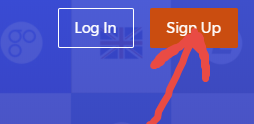
IqOption Sign Up Form
After that, you will see few fields where you have to fill your info like first name, last name, email and password:
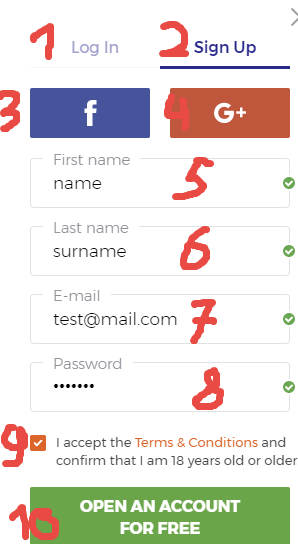
Most importantly, on the picture above you can find sample of registration form with fields that you need to fill with your real info to be able to register account:
1 – “Log In” must be used if you want to log into your existing account.
2 – “Sign Up” must be used if you don’t have an account yet.
3 – “Facebook” must be used if you want to register with your Facebook account.
4 – “Gmail” must be used if you want to register with your Gmail account.
If you don’t want to use your social profiles you need to fill in the following fields:
5 – Fill your real name;
6 – Fill your real surname (last name);
7 – Fill your real email address;
8 – Fill your password that you want to use.
Also, you need to check the box “9” if you agree with the Terms and Conditions. Moreover, please make sure that you fill all actual information about yourself. Consequently, if you will fill something wrong you may have some issues with your account in the future.
Registration menu on the Web and mobile apps may look a little different (for web version, android application, iOS application). But it will be not so hard to fill these fields for you.
Open Iq Option account via Facebook
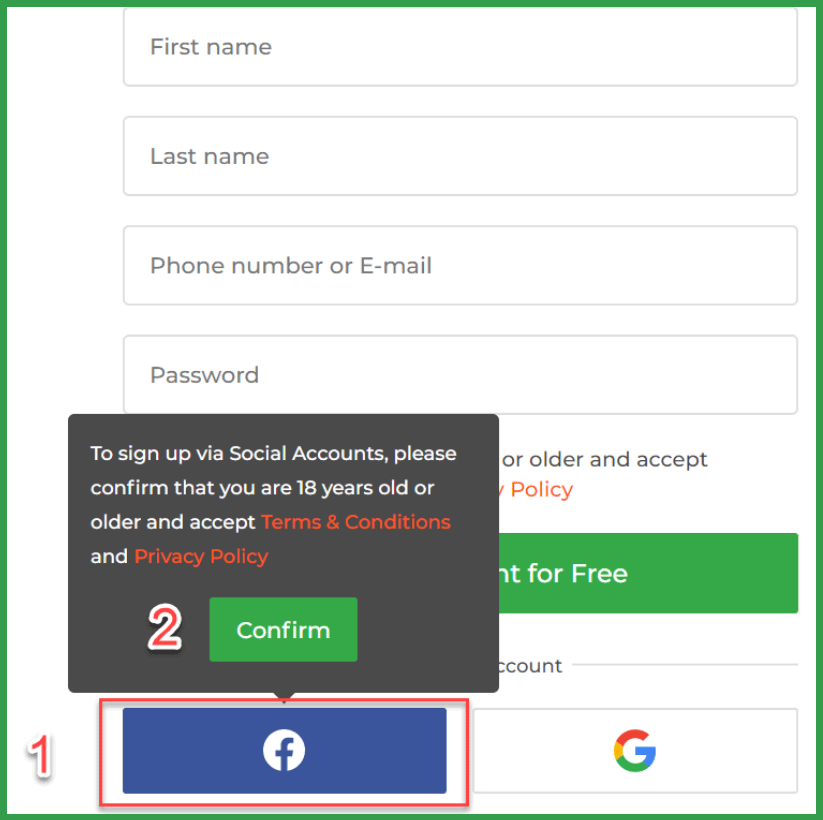
To open an account with Facebook, you need to complete the following steps:
- Click on the Facebook button;
- Click on the “Confirm” button, that you are over 18 years old and that you accept Terms & Conditions and Privacy Policy. Then you will be redirected to a Facebook website, where you will have to log into your Facebook account;
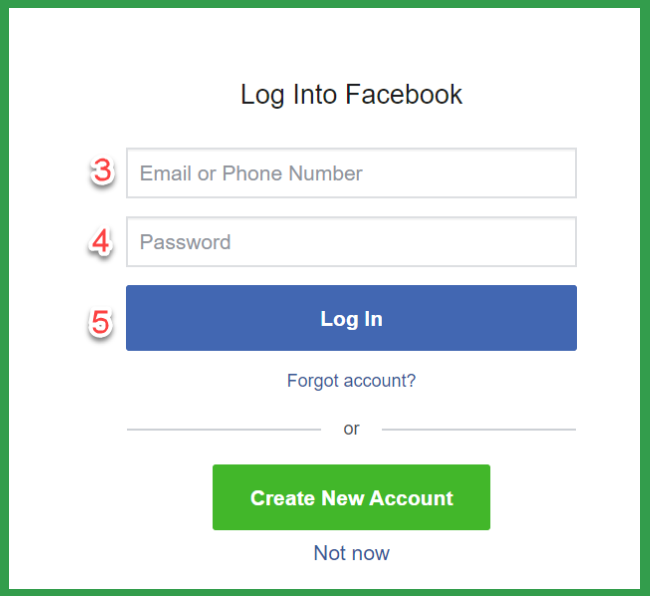
- Enter the email which you used to register your Facebook account;
- Enter the password from your Facebook account;
- Click on the “Log in” button.
Open Iq Option account via Gmail
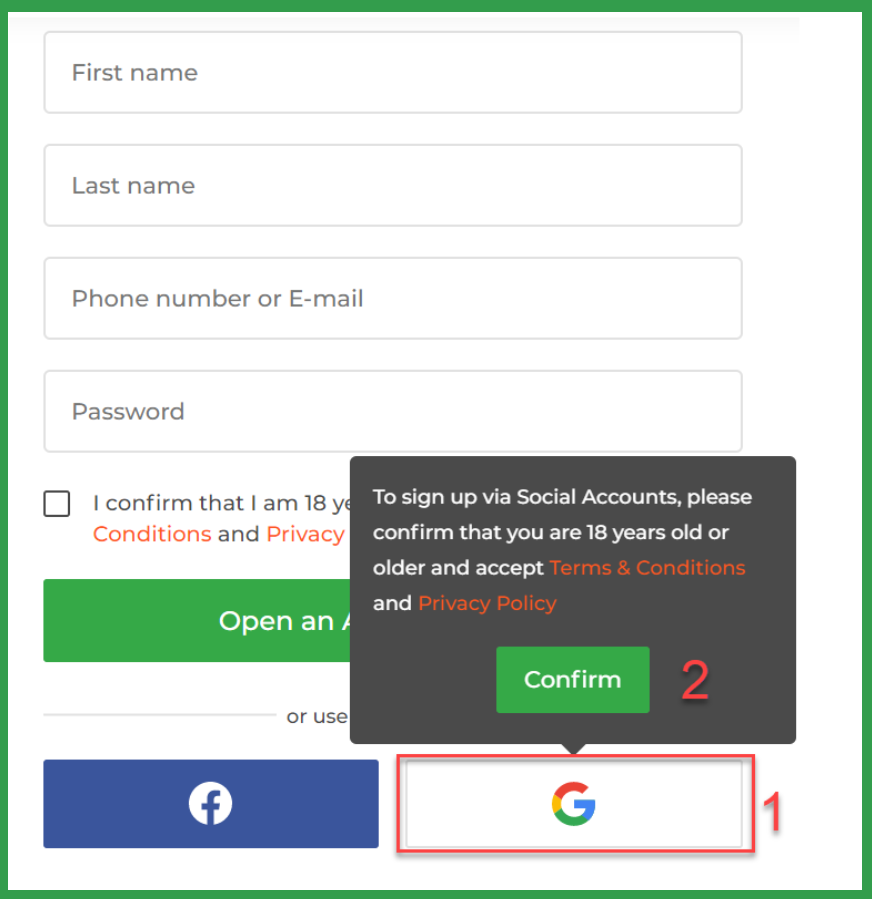
If you would like to open an IqOption account using Gmail, you need to follow these steps:
- Click on the Google button;
- Click on the “Confirm” button, that you are over 18 years old and that you accept Terms & Conditions and Privacy Policy. You will be redirected to Google account website, where you should sign into your Google account;
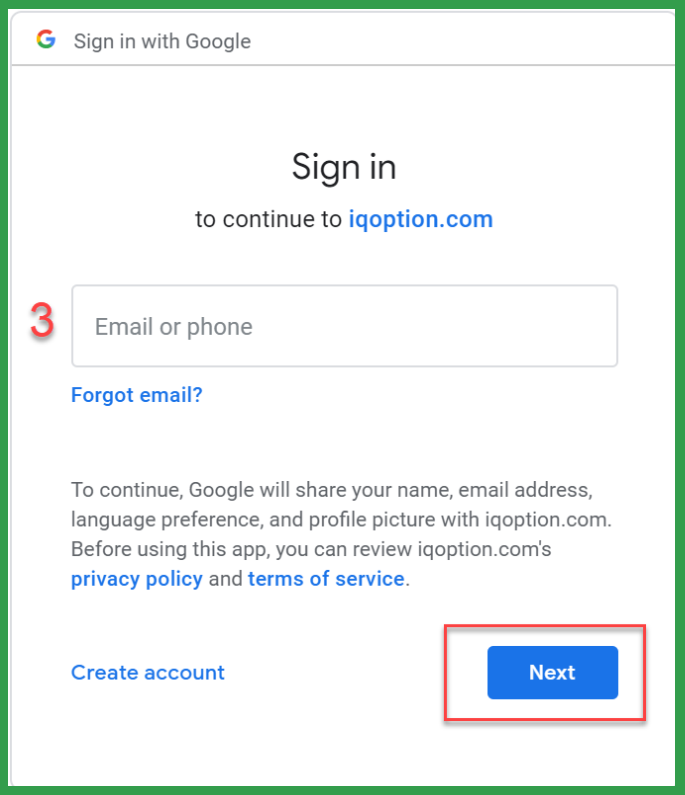
- Enter your email and click on the “Next” button;
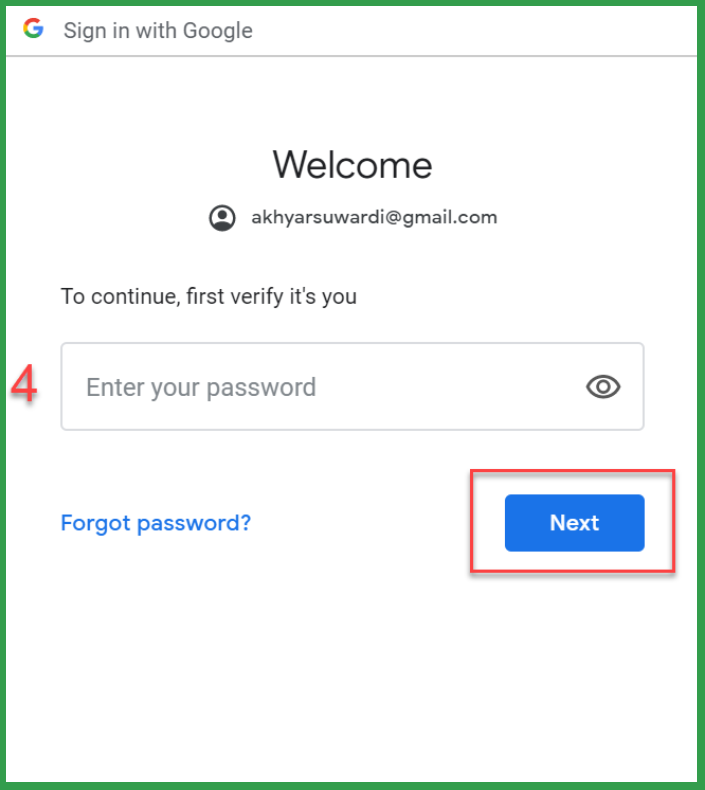
- Enter your password and click on the “Next” button.
IqOption Demo account
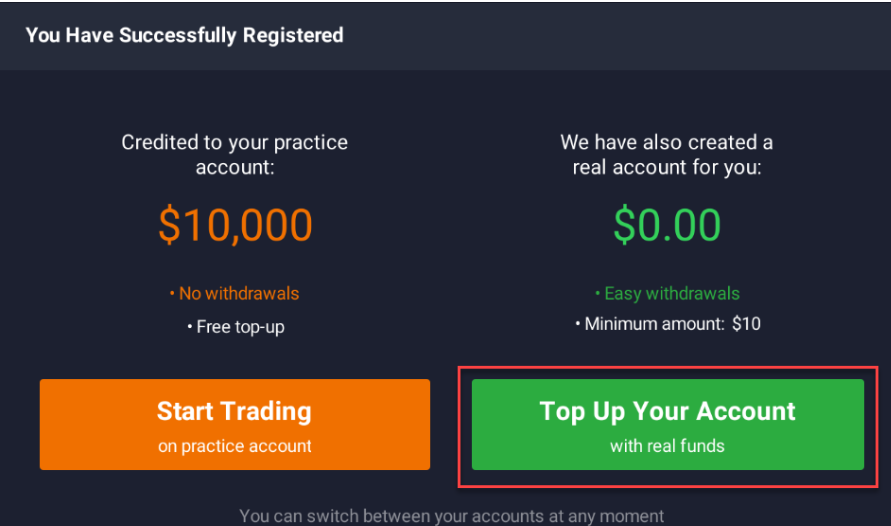
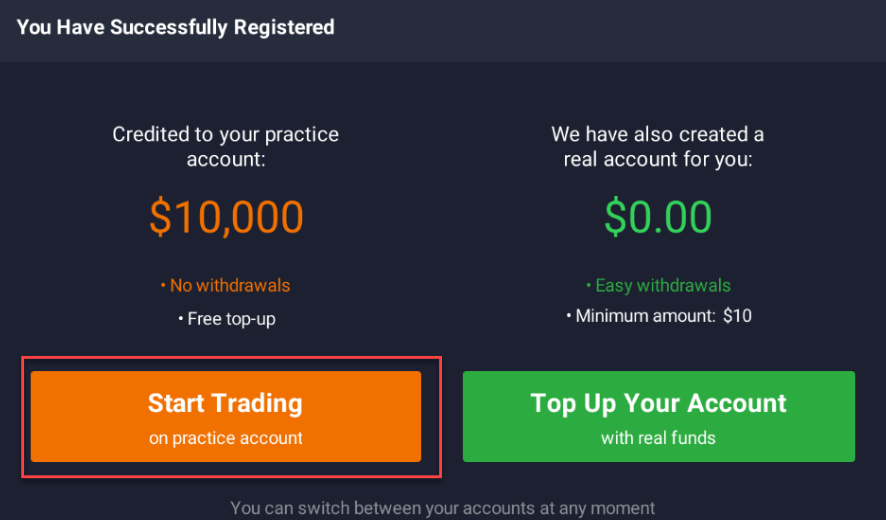
IqOption opens a real account for you, just after your registration. However, in order to trade on a real account, you first need to make your deposit. In order to do that, click on the “Top Up Your Account”.
IqOption Real account
Like for DEMO you need to fill all your info like user name and password to the fields. To find these fields please click on the menu “Sign in” or “Log In”.
Switch between Real and Demo Accounts
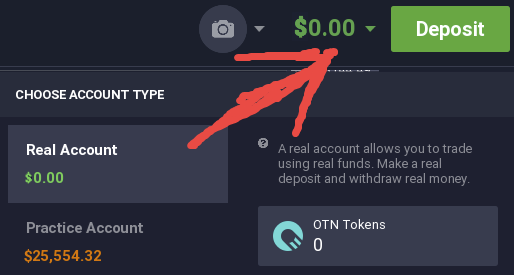
Best advantages of IqOption that you have one login and password for DEMO account and the same login and password for the REAL account. Also, you need to log in at the same place. Selecting DEMO or REAL account happens exactly inside of trading area. Like on the sample picture.
IqOption Log out
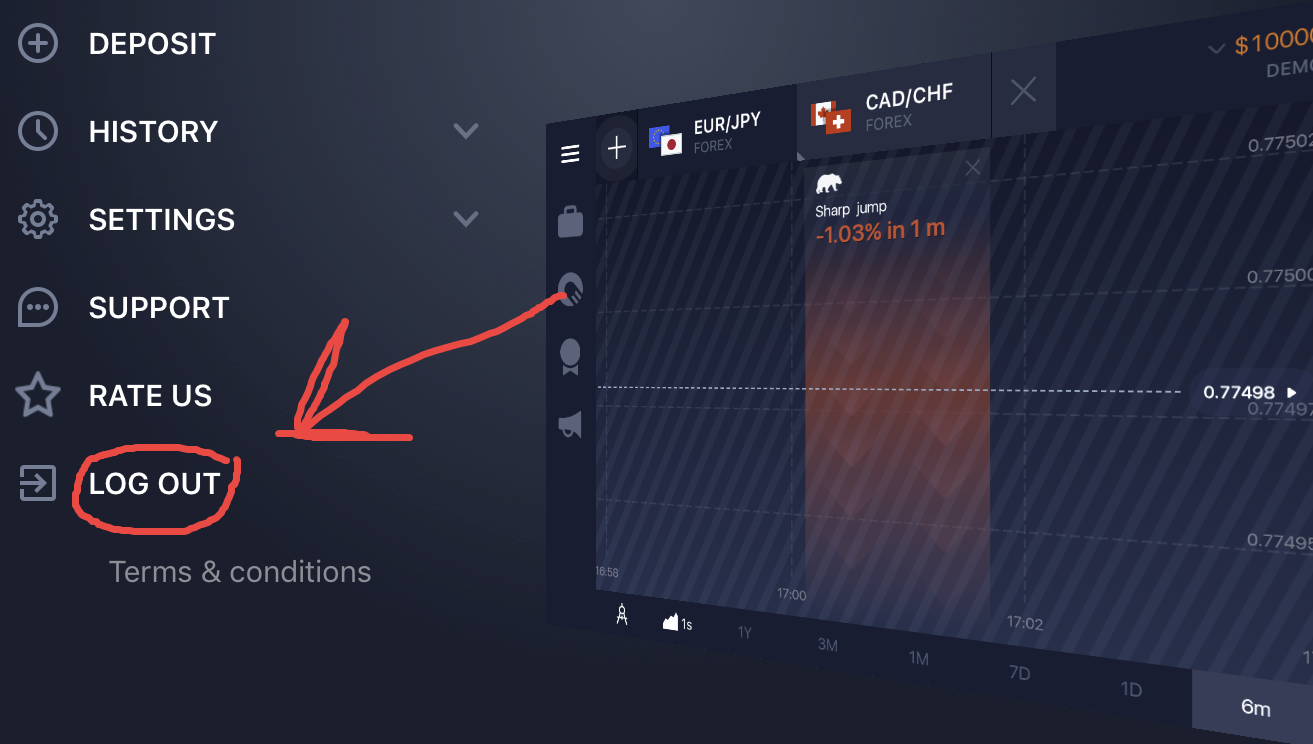
If you need to log out from your account you just need to find the menu “Log Out”.
One the WEB version you can find log out menu on the top of your trading account. Just click on the `Log Out` and it’s all. On the mobile apps like iOS or Android you can find “Log Out” menu on the left side like on the following sample:
Do I need to log out from my Iqoption account?
We recommend to log out from your trading account. Firstly, it must help you to keep money safe. For example: if you never log out from your account somebody may get access to your trading account directly from your mobile phone or your PC. Remember – It’s just one step of security.
IqOption iOS App Registration

It is really easy to open an Iq Option account in IOS mobile app. To open your account, complete the following steps:
- Enter your email or phone number;
- Create your own password;
- Put a tick that you are over 18 years old and that you agree to Terms & Conditions and Privacy Policy;
- Press on the “Register” button.
That’s it, you just opened your IqOption account!
IqOption Android App Registration

Actually, it is pretty simple to open an IqOption account in Android mobile app too. In order to do that, follow these steps:
- Enter your email or your phone;
- Create a password for your IqOption account;
- Put a tick that you are 18 years old and that you agree to Terms & Conditions and Privacy policy;
- Press on the “Registration” button.


Leave a Reply