Creating new pending order
While trading on the Iq Option trading Platform, you are able to open positions automatically. This may be very useful in case you trade applying tools such as support levels. In the menu on the right side, under the sell button, click the “Purchase at …” button.
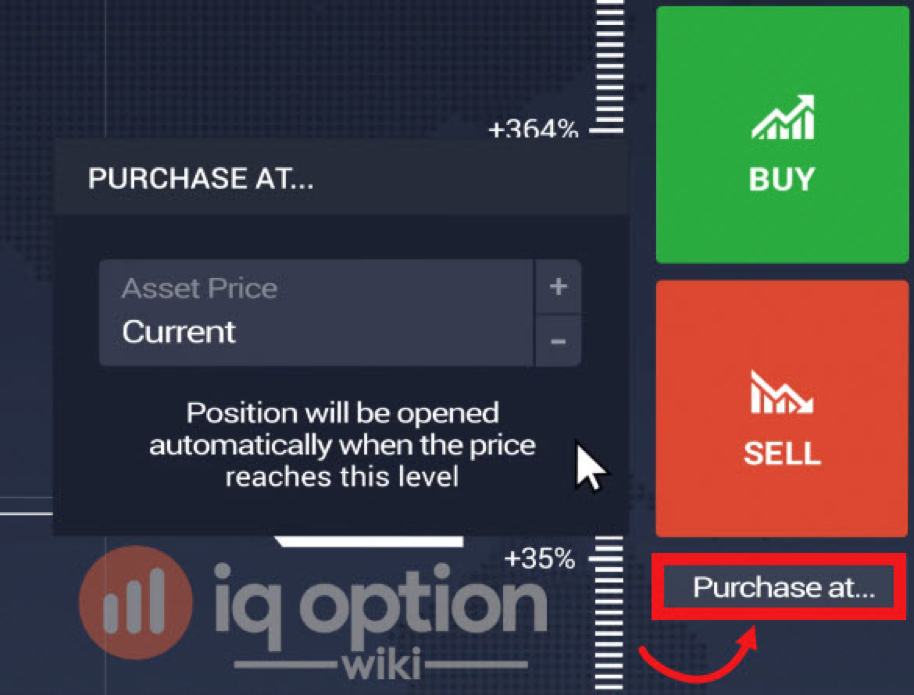
You may either select the ongoing market price of an asset that is set by default or you can click on the plus or minus buttons to choose any other value at which you feel convenient to have the position opened automatically.
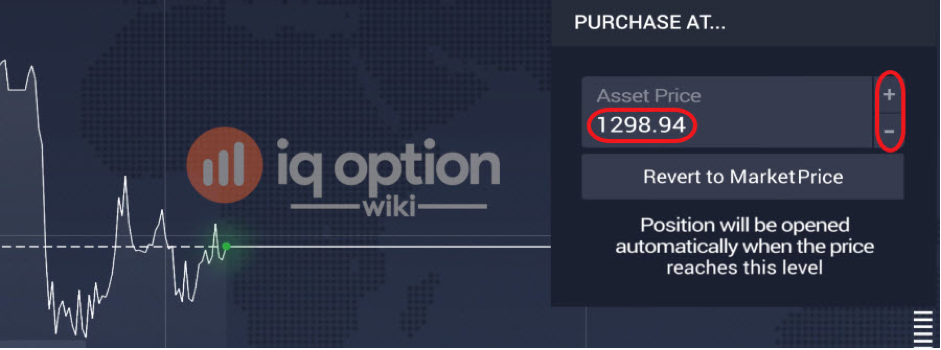
That will be demonstrating the opening price level. When the price reaches the specified level the position, which is also known as pending order, will be opened automatically.
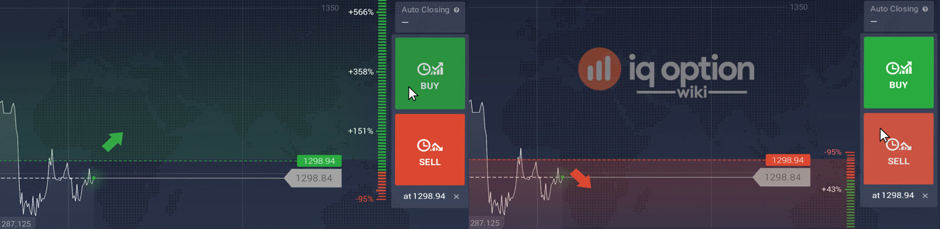
Modifying pending orders on IQ Option platform
For the purpose of modifying the pending order at IQ Option, hover your mouse over the pending position on the graph, click on the settings button and change the available parameters.
For the purpose of modifying the pending order at IQ Option, hover your mouse over the pending position on the graph, click on the settings button and change the available parameters.
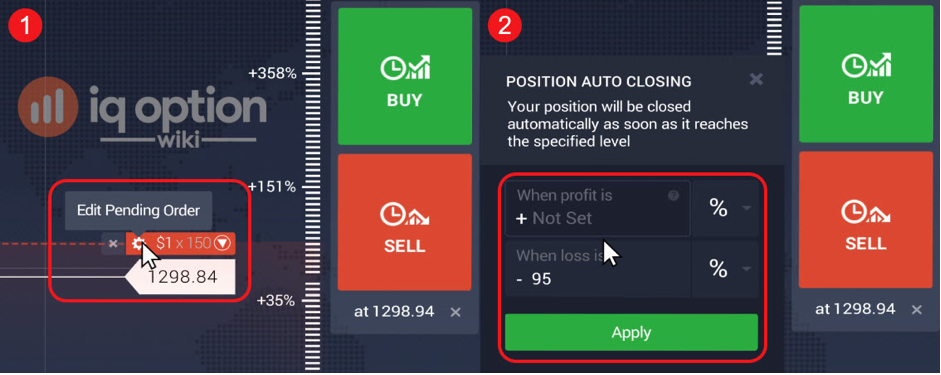
If you would like to cancel your order. Click on the ‘X’ button, which is located next to the settings button. In case you want to disable the automatic opening feature, you just need to click on the close X button.

Leave a Reply